
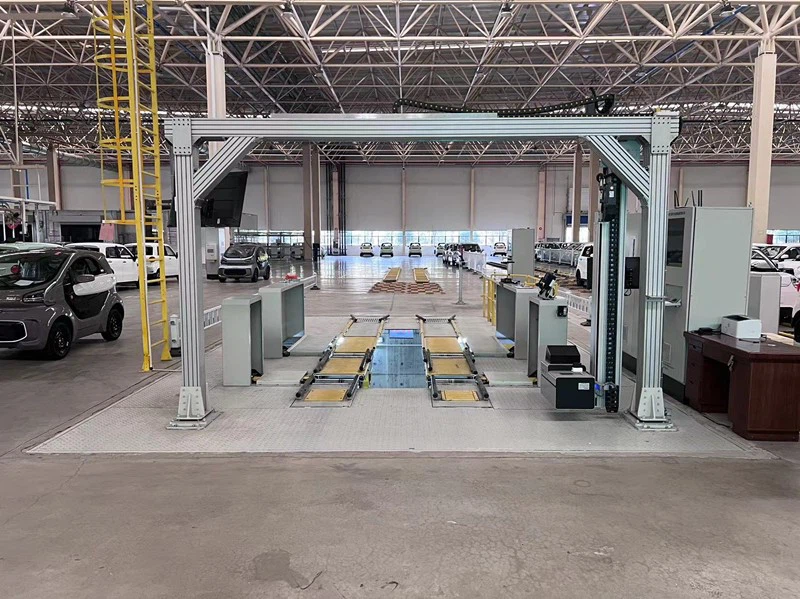
Installing software updates on an Auto Side Slip Tester is a crucial process that ensures the accuracy and reliability of the equipment. As a leading supplier of Auto Side Slip Tester, we understand the importance of keeping your tester up – to – date. In this blog, we’ll guide you through the steps of installing software updates on an Auto Side Slip Tester.
Why Software Updates Matter
Software updates for an Auto Side Slip Tester are not just about adding new features. They play a vital role in maintaining the precision of the testing results. Over time, manufacturers discover and fix bugs that could potentially affect the accuracy of the side – slip measurement. Updates may also enhance the user interface, making it more intuitive and easier to use. Additionally, as industry standards evolve, software updates ensure that your tester remains compliant with the latest regulations.
Pre – update Preparations
Before you start the software update process, there are several preparations you need to make:
Backup Data
First and foremost, back up all the existing data on your Auto Side Slip Tester. This includes test results, calibration data, and any user – defined settings. Losing this data during the update process could lead to inaccurate testing in the future or require you to repeat calibration procedures. Most modern testers allow you to save data to an external storage device such as a USB flash drive.
Check Compatibility
Verify that the software update is compatible with your specific model of the Auto Side Slip Tester. Our company provides detailed information about which models are supported by each software version on our official website. Using an incompatible software update can cause malfunctions or render the tester inoperable.
Ensure Stable Power Supply
A stable power supply is essential during the update process. A sudden power outage can corrupt the software installation and damage the tester. It is recommended to connect the tester to a reliable power source or use an uninterruptible power supply (UPS) to prevent any power – related issues.
Internet Connection (if applicable)
If the update is to be downloaded over the internet, ensure that you have a stable and high – speed internet connection. A slow or interrupted connection can lead to incomplete downloads, which may cause problems during the installation.
Downloading the Software Update
There are two common ways to obtain software updates for an Auto Side Slip Tester:
Download from the Manufacturer’s Website
Most of the time, our company will release software updates on our official website. You can visit the support section of our website and look for the software update for your specific model of the Auto Side Slip Tester. Once you find the correct version, click the download link. The download time will depend on the size of the update and the speed of your internet connection.


Using a USB Flash Drive
In some cases, especially for testers in areas with limited internet access, we may provide the software update on a USB flash drive. You can request this option when you contact our customer support team. Simply insert the USB flash drive into the appropriate port on the tester to start the installation process.
Installing the Software Update
Once you have successfully downloaded the software update, follow these steps to install it:
Enter Update Mode
Turn on the Auto Side Slip Tester and enter the update mode. This may involve pressing a specific combination of buttons on the control panel or selecting the “Update Software” option from the main menu. Refer to the user manual of your tester for the exact procedure.
Select the Update File
If you downloaded the update to an external storage device, such as a USB flash drive, insert it into the tester. Navigate to the location of the update file on the storage device and select it. If you downloaded the update directly to the tester’s internal storage, the system should automatically detect the available update.
Start the Installation
After selecting the update file, confirm the installation. The tester will then begin the installation process, which may take several minutes to complete. During this time, do not interrupt the process or turn off the tester. You may see progress indicators on the screen, such as a percentage bar, showing how much of the installation is complete.
Post – installation Checks
Once the installation is finished, the tester will usually restart automatically. After the restart, perform a series of post – installation checks. First, check the software version to ensure that the update was successfully installed. You can usually find the software version information in the system settings menu.
Next, run a self – test on the Auto Side Slip Tester. This test will verify that all the functions of the tester are working correctly after the update. If any errors are detected during the self – test, refer to the troubleshooting guide provided by our company or contact our technical support team.
Different Types of Auto Side Slip Testers and Update Considerations
We offer a variety of Auto Side Slip Testers, including Double Plate Side Slip Tester and Veneer Side Slip Tester. While the general update process is similar for all models, there may be some model – specific considerations.
Double Plate Side Slip Tester
The Double Plate Side Slip Tester is designed to provide more comprehensive testing by measuring the side – slip of both front and rear wheels simultaneously. When updating the software for this model, pay special attention to the calibration data related to the two plates. In some cases, the update may require you to recalibrate the plates to ensure accurate measurements.
Veneer Side Slip Tester
The Veneer Side Slip Tester is known for its high – precision measurements and compact design. This model may have unique user interface features that are updated in the software. After the update, take some time to familiarize yourself with any new interface elements to make the most of the improved functionality.
Troubleshooting Common Issues
Even with proper preparations, you may encounter some issues during the software update process. Here are some common problems and their solutions:
Installation Errors
If you receive an error message during the installation process, first check the error code. Our company’s technical support team can provide detailed explanations and solutions based on the error code. In some cases, the error may be due to a corrupted download. Try downloading the update again and repeat the installation process.
Software Not Working After Update
If the Auto Side Slip Tester does not function correctly after the update, try restarting the tester. Sometimes, a simple restart can resolve minor glitches. If the problem persists, check if all the settings are correct and if the calibration data is still valid. You may need to perform a factory reset and then re – enter your settings and calibration data.
Compatibility Issues
If you suspect compatibility issues, contact our customer support team. We can help you determine if the problem is due to an incompatible software version and provide guidance on how to resolve it, such as downgrading to a previous software version if necessary.
Conclusion
Installing software updates on an Auto Side Slip Tester is a relatively straightforward process as long as you follow the proper steps and take necessary precautions. Regular software updates are essential for maintaining the accuracy and reliability of your tester, ensuring compliance with industry standards, and enjoying the latest features.
As a trusted supplier of Auto Side Slip Testers, we are committed to providing high – quality products and excellent after – sales support. If you have any questions about software updates or need assistance with your Auto Side Slip Tester, please do not hesitate to contact us. We are here to help you make the most of your investment in our products. Whether you are interested in our Auto Side Slip Tester, Double Plate Side Slip Tester, or Veneer Side Slip Tester, we welcome you to reach out for procurement discussions. Our team of experts is ready to assist you in finding the best solution for your testing needs.
References
Industry Standards and Regulations Related to Vehicle Testing Equipmentwhere we’ll deep dive into specific aspects of the future of electronics, showcasing the latest developments, trends, and possibilities. Together, let’s unravel the potential of tomorrow’s technology and embrace the transformative power it holds for our future.
Auto Side Slip Tester User Manuals
Manufacturer’s Technical Support Documents